

 Sign In






Created for: The Sims 4 Creator Terms of Use
This Creation has Requirements - Click here to show them
This is a beige studio apartment, decorated in warm, natural tones. Size 11 on 12.
Built of tall walls. This is a platform room.
This room is fully equipped.
Custom Content was used.
The apartment is divided into several functional zones.
On the left side, there is an entrance with a door, next to which hangs a mirror and a shelf with decorations. Further into the room, there's a shelving unit with plants and books, as well as a small desk with a chair.
In the central part of the apartment, there's a U-shaped kitchen with beige cabinets, a white countertop, and appliances. It includes a stove, a sink, and an extractor hood. Plants and kitchen utensils are placed on the countertop. Opposite the kitchen, on the right side, there's a wooden table with two chairs, forming a dining nook.
At the back of the apartment, there's a bedroom area with a large bed, featuring beige bedding and pillows. A nightstand with a lamp and decorations stands beside the bed. In the background, large windows with beige curtains are visible.
The entire apartment is decorated in a cohesive, cozy style, with plenty of wood, plants, and natural textures. Beige, brown, and white are the dominant colors, giving the interior a calm and harmonious character.
Please check all cc's in the Required Tab.
Please read the instructions in the Notice tab.
DO NOT re-upload without my permission.
DO NOT post as your own.
Always put a link to my creation on TSR.
Short URL: https://www.thesimsresource.com/downloads/1753572
ItemID: 1753572
Filesize: 98 KB
To install this room into your game, you need to
download the room, unzip room files
,copy room files and paste them into your Tray catalog.
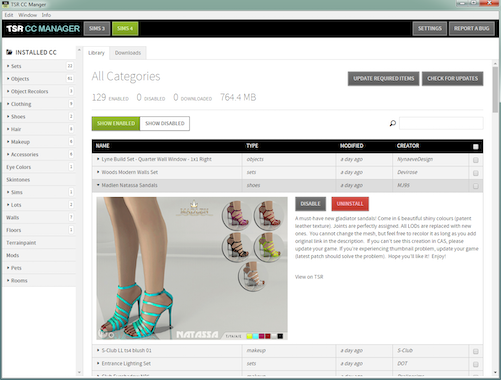
All CC objects from Required Tab go to the Mods folder.
DO NOT re-upload without my permission.
DO NOT post as your own.
Always put a link to my creation at TSR.
How to set up a room with platforms in the game:
- for a room to work correctly, after setting it up in the game, you will have to add a ceiling or another room on the top as a second floor.
- how to add a ceiling: Open build mode, go into the Walls and Empty rooms section and pick the - Flat Square - option, place it on the top of the room as a ceiling, this will ensure the room will work correctly. If you don't add a ceiling, a second room upstairs, or a roof, this can make Sims more vulnerable to cold or heat.
Credits: Credits: All TSR CC's Creators
- Recoloring Allowed: No
This Creation requires what's listed below in order to work properly.
- Simxties Da Groovy Typewriter [computer]
- Naturalis Guest Bedroom
- Keep Life simple Bathroom glass divider
- Veranda Palisade Wall Fence Hats
- Gardening Foyer decor - boots (galoshes)
- Organic Oasis Hotel Suite - Plant A
- Organic Oasis Hotel Suite - Plant B
- Organic Oasis Hotel Suite - Planter Shelves
- Organic Oasis Hotel suite - Plant Large
- Organic Oasis Hotel Suite - Bedroom
 Sims 4
/ Rooms
/ Bedroom
Sims 4
/ Rooms
/ Bedroom


 Install with CC Manager
Install with CC Manager
Install with CC Manager


 21,075 Downloads • 55 KB
12,581 Downloads • 105 KB
22,101 Downloads • 367 KB
4,760 Downloads • 100 KB
4,967 Downloads • 100 KB
16,006 Downloads • 116 KB
5,957 Downloads • 255 KB
41,352 Downloads • 536 KB
15,185 Downloads • 113 KB
7,971 Downloads • 325 KB
17,930 Downloads • 131 KB
5,424 Downloads • 238 KB
18,018 Downloads • 112 KB
5,823 Downloads • 270 KB
17,586 Downloads • 83 KB
21,075 Downloads • 55 KB
12,581 Downloads • 105 KB
22,101 Downloads • 367 KB
4,760 Downloads • 100 KB
4,967 Downloads • 100 KB
16,006 Downloads • 116 KB
5,957 Downloads • 255 KB
41,352 Downloads • 536 KB
15,185 Downloads • 113 KB
7,971 Downloads • 325 KB
17,930 Downloads • 131 KB
5,424 Downloads • 238 KB
18,018 Downloads • 112 KB
5,823 Downloads • 270 KB
17,586 Downloads • 83 KB









 Limited Time Offer
 For a limited time only, we’re giving away a free


