

 Sign In





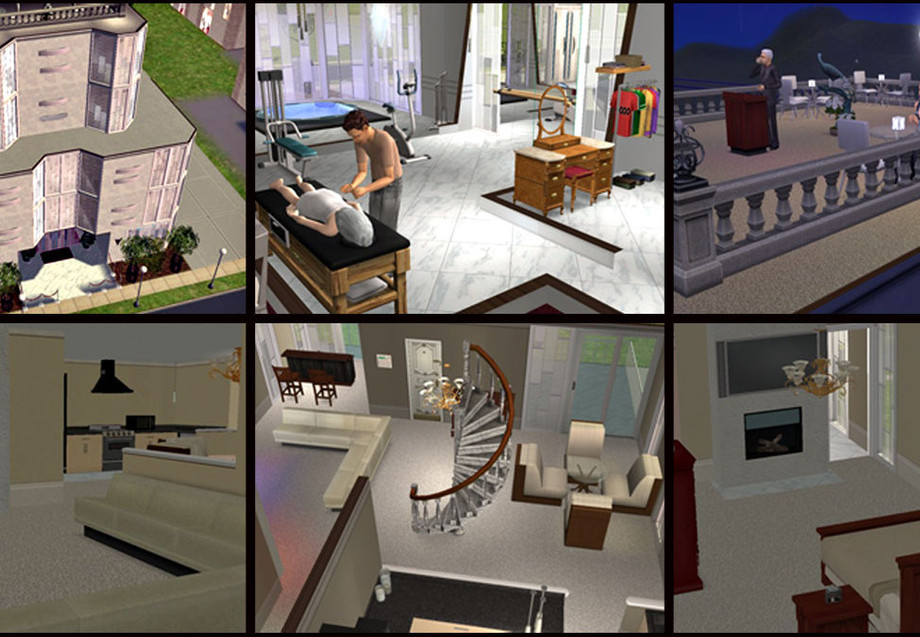
Created for: The Sims 2
This Creation belongs to a Set - Click here to show the whole Set
This Creation has Requirements - Click here to show them
Short URL: https://www.thesimsresource.com/downloads/792105
ItemID: 792105
See Installation Instructions for information on moving into a furnished apartment and for instructions on buying a car
Credits: AnoeskaB (windows & entertainment center), Birgit43 (fireplace), Chrissy6930 (floor), huabanzhu & NeptuneSuzy (lights), srgmls23 for the wonderful trick for buying a car
- Lot Size: Small
- Furnished: Partly
- Decorated: Throughout
- Stories: 6
This Creation requires what's listed below in order to work properly.
Required Expansion/Stuff Packs:
- University
- Nightlife
- Open for Business
- Pets
- Seasons
- Bon Voyage
- Free Time
- Apartment Life
- Kitchen & Bath
Installation Instructions:
<i>~ To rent a furnished apartment:</I> Move your Sim(s) onto the lot. Open the command window by pressing ctrl+shift+c. Type in the command boolProp TestingCheatsEnabled true <enter>. Hold down the shift key while clicking on the door of the apartment you wish to rent; select Rent Furnished Apartment from the pop-up menu. When the transaction is complete, open the command window again and type in boolProp TestingCheatsEnabled false <enter>. Don't forget this last step - it's really important to turn off the command when you're finished with it!
<I>~ To buy a car:</I> Open the command window and type in moveObjects on <enter>. Select your car from the catalog and place it anywhere inside of your apartment then click on it and choose install alarm. It may take a few seconds but the car will automatically jump into an outside parking space. Turn the command off by opening the window and typing moveObjects off <enter>.
 Sims 2
/ Lots
/ Apartment Lots
Sims 2
/ Lots
/ Apartment Lots



 Load more Comments
 723 Downloads •
1,063 Downloads •
723 Downloads •
1,063 Downloads •








 Limited Time Offer
 For a limited time only, we’re giving away a free


