

 Sign In




Created for: The Sims 2
This is a Set with 4 Creations - Click here to show all
This Creation has Requirements - Click here to show them
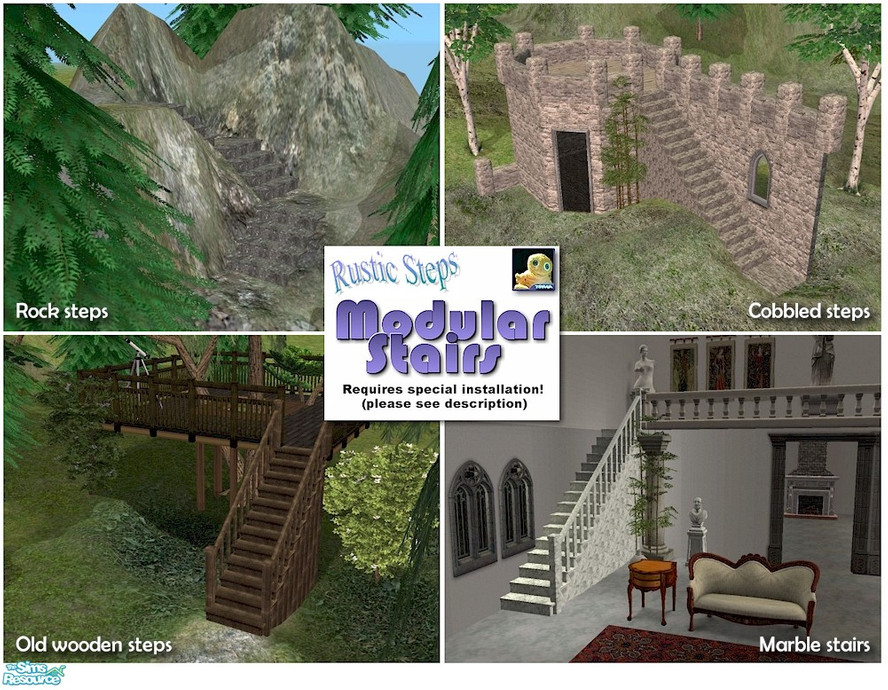
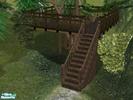
Rustic steps MODULAR stairs in marble, old wood, cobble and rock colours - no recolouring necessary and they work great in the lots you share! EXTREMELY IMPORTANT: Please click the INSTALLATION INSTRUCTIONS link above. Enjoy! TSRAA items.
Short URL: https://www.thesimsresource.com/downloads/218468
ItemID: 218468
This Creation requires what's listed below in order to work properly.
Installation Instructions:
<font face=\"Arial\" style=\"font-size:10pt\"><strong>TO INSTALL THE <font color=\"#FF0000\">ENTIRE SET</font> OF MODULAR RUSTIC STEPS...</strong>
<strong>(1) Place all the stairs files in your \'Downloads\' folder </strong>as usual.
<strong>(2) Find where you originally installed The Sims 2 game </strong>(not the expansion packs) and look for the folder <strong>TSData\\Res\\Catalog\\Scripts</strong> (<a href=\"http://forums.thesimsresource.com/attachment.php?attachmentid=126944\" target=\"_blank\">see picture</a>). It is usually in THIS location:
<font color=\"#008080\"><strong> C:\\Program Files\\EA GAMES\\The Sims 2\\TSData\\Res\\Catalog\\Scripts</strong></font>
<strong>(3) Open the file \'modularStairs.txt\'</strong> and find an empty space at the bottom of the page.
<strong>(4) Copy and paste the following four text blocks below</strong> into a space at the bottom of the file <a href=\"http://forums.thesimsresource.com/attachment.php?attachmentid=126945\" target=\"_blank\">(see picture)</a>:
<font face=\"Courier\" style=\"font-size:10pt\">
# cyclonesue_stairs_rustic_cobble
modularStairs 520
objectID landing 0x0011CFD7
objectID placeholder 0x0011CFD6
objectID step 0x0011CFD8
objectID topStep 0x0011CFD5
objectID bottomStep 0x0011CFD3
catalogTextIndex 2
# cyclonesue_stairs_rustic_wood
modularStairs 521
objectID landing 0x0011CFDD
objectID placeholder 0x0011CFDC
objectID step 0x0011CFDE
objectID topStep 0x0011CFDB
objectID bottomStep 0x0011CFD9
catalogTextIndex 2
# cyclonesue_stairs_rustic_marble
modularStairs 522
objectID landing 0x0011CFE3
objectID placeholder 0x0011CFE2
objectID step 0x0011CFE4
objectID topStep 0x0011CFE1
objectID bottomStep 0x0011CFDF
catalogTextIndex 2
# cyclonesue_stairs_rustic_rock
modularStairs 523
objectID landing 0x0011CFE9
objectID placeholder 0x0011CFE8
objectID step 0x0011CFEA
objectID topStep 0x0011CFE7
objectID bottomStep 0x0011CFE5
catalogTextIndex 2
</font>
<strong>(5) Save and close</strong> the text file.
______________________________________
And that\'s it! The entire set of rustic steps set should now show in your stairs catalog. More details about installing these steps can be found here at <a href=\"http://forums.thesimsresource.com/showthread.php?p=3047979\" target=\"_blank\">this forum</a>. Have fun!</font>




 Load more Comments
 2,798 Downloads •
1,097 Downloads •
4,479 Downloads •
1,125 Downloads •
4,671 Downloads •
1,175 Downloads •
2,069 Downloads •
2,798 Downloads •
1,097 Downloads •
4,479 Downloads •
1,125 Downloads •
4,671 Downloads •
1,175 Downloads •
2,069 Downloads •











 Limited Time Offer
 For a limited time only, we’re giving away a free


